Stock and price list
Veterinary inventory management that runs itself
The vaccine is in the fridge, but not in the system. Or the other way around: the system says it's in stock, but the box has been empty for a week. Veterinary inventory management is only accurate if it's driven by the work itself, not by separate data entry at the end of the day.
In VetsWise, consumables and medicines are deducted automatically during consultations, inpatient care and sales, from the batch closest to its expiry date. Deliveries come in from a photo of the invoice, a stock audit brings stock levels in line with what was counted, and the price list and estimates use the same prices the owner sees on the bill.
- Batches and expiry dates
- Deliveries entered from a photo of the invoice
- Stock audits with a report
- Price list and estimates
Item catalog
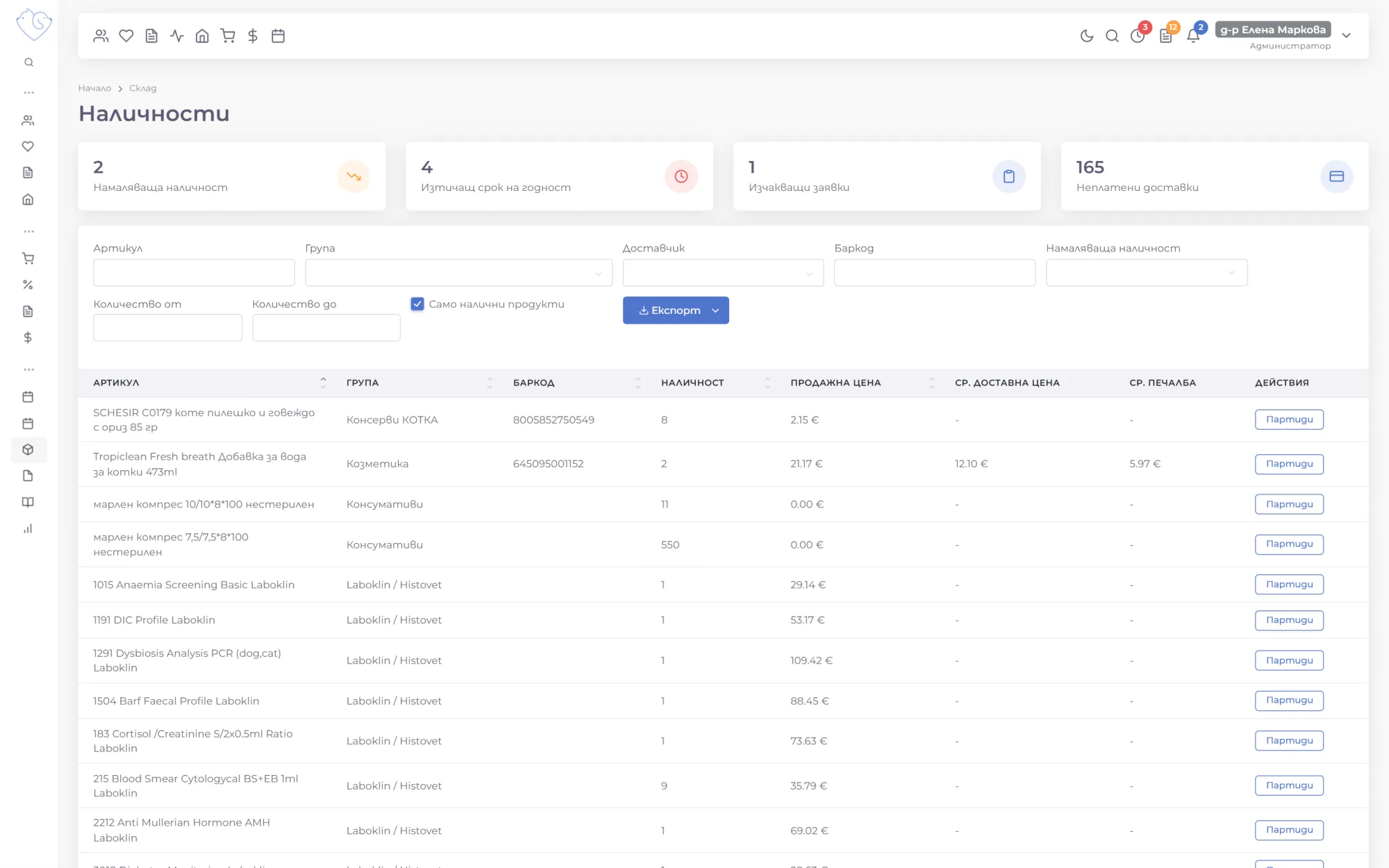
Every item has a group, unit, selling price, barcode and item number. Groups form a tree with subgroups, for example "Vaccines", "Vaccines CAT" and "Vaccines DOG", and can be rearranged by dragging. Search works by name, group and barcode, and a barcode scanner fills in the field for you.
- A minimum quantity, below which the item is flagged as running low
- A veterinary medicine flag: the product goes into the BFSA logs automatically
- A batch number flag: the batch is recorded every time the item is used
- Change the group or flags of many items at once
Batches and expiry dates
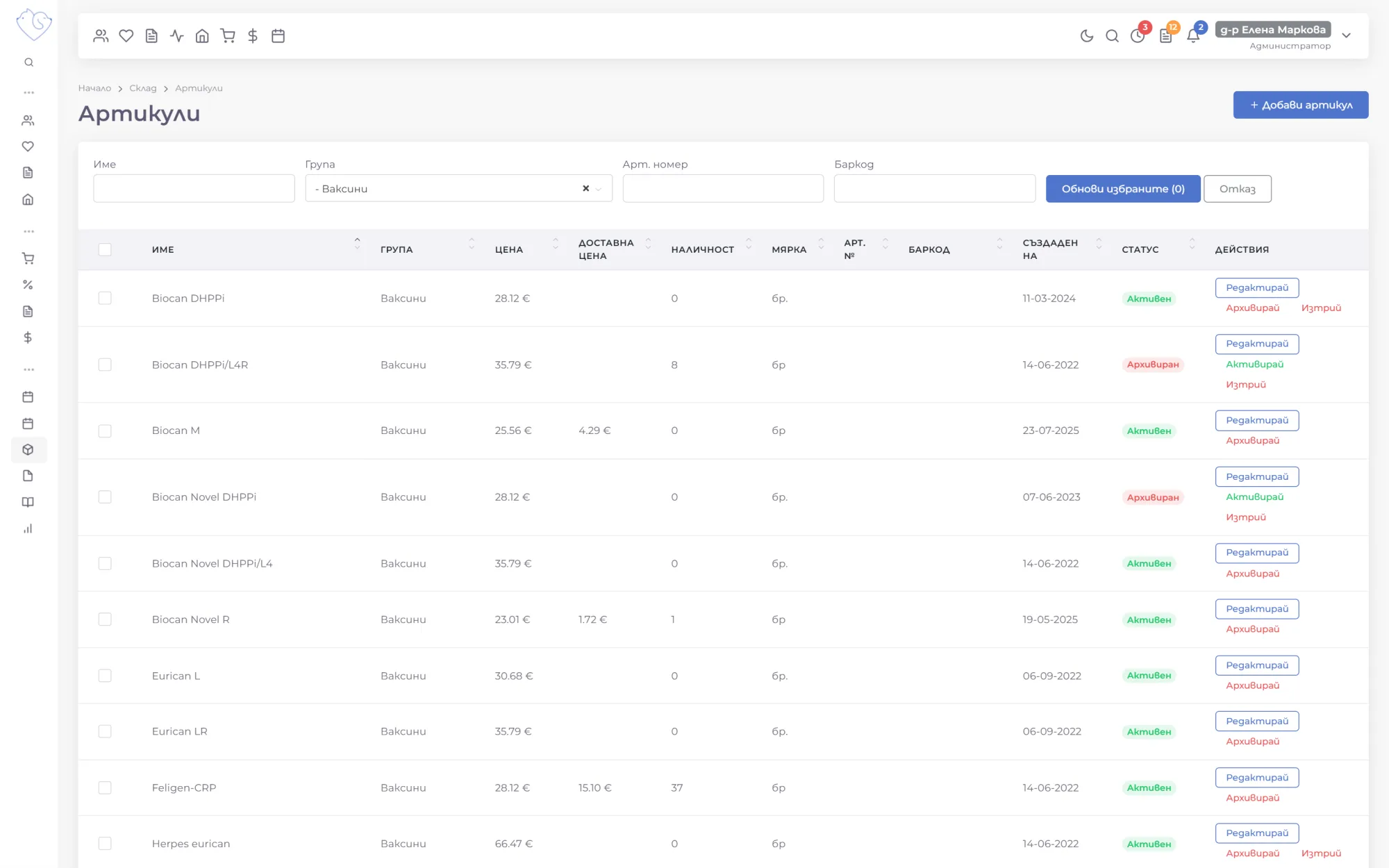
Every delivery is a batch with its own expiry date. During consultations, inpatient care and shop sales, VetsWise uses up the batch that expires soonest first, so nothing goes out of date on the shelf.
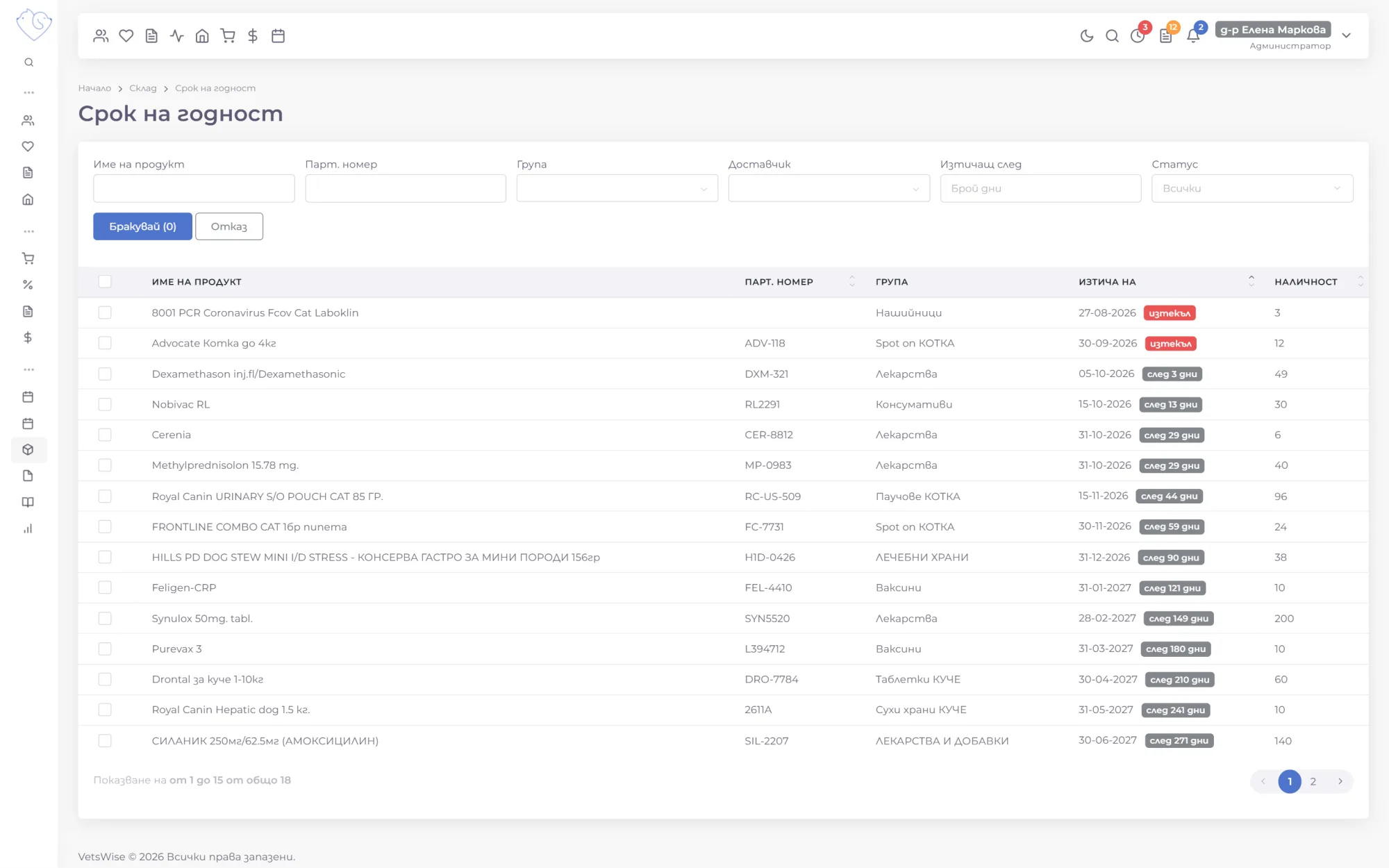
The Expiry dates page sorts every batch by date and color-codes the ones that have expired or will expire within a set number of days. Every morning, the team gets a notification about batches expiring within 30 days and within 7 days.
Write-offs in one click
Expired batches are selected and written off straight from the list, with the items, quantities and prices filled in for you. A broken vial or damaged packaging is written off by hand with a note on the reason. Write-offs are valued at cost price.
Deliveries entered from a photo of the invoice
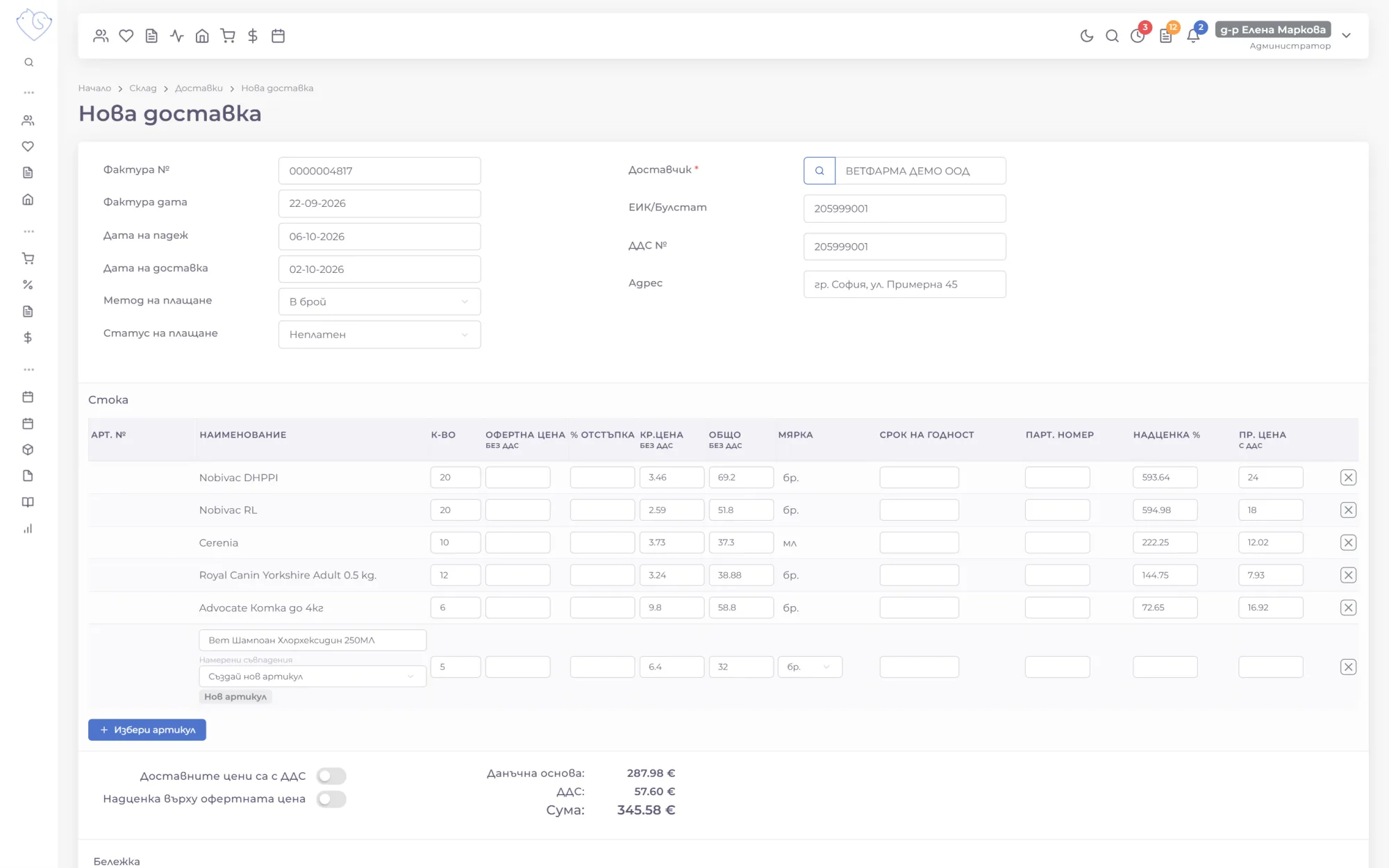
Take a photo of the supplier's invoice with your phone or upload it as a PDF. In seconds, AI reads the invoice number and dates, the supplier, the items, quantities and prices, and fills in the new delivery.
Items are matched to your catalog by name, barcode or code. A new supplier is created with the company ID, VAT number and address from the invoice, and a new item with either a selling price or a markup, with the other calculated for you. Add the batch and expiry date from the packaging, and the delivery is in stock.
Supplier orders and stock audits
A purchase order is built from the items running low, each shown with its current quantity and last purchase price. The order goes to the supplier by email with ready-made text, and when the goods arrive, it becomes a delivery with the items already filled in.
For a stock audit, you choose the items, for example just the vaccines, and print a count sheet. The counted quantities are compared with the stock in the system, and shortages and surpluses show up instantly, valued at cost price. Once saved, the stock matches what was counted, and the audit report is kept for signing and filing.
A price list of procedures, and templates
Everything done in the consulting room is in the price list, with a price and a group, such as lab work, diagnostic imaging or surgery. A new procedure is available in consultations right away. A price change applies only to new consultations, and an archived procedure stops being offered without disappearing from the history.
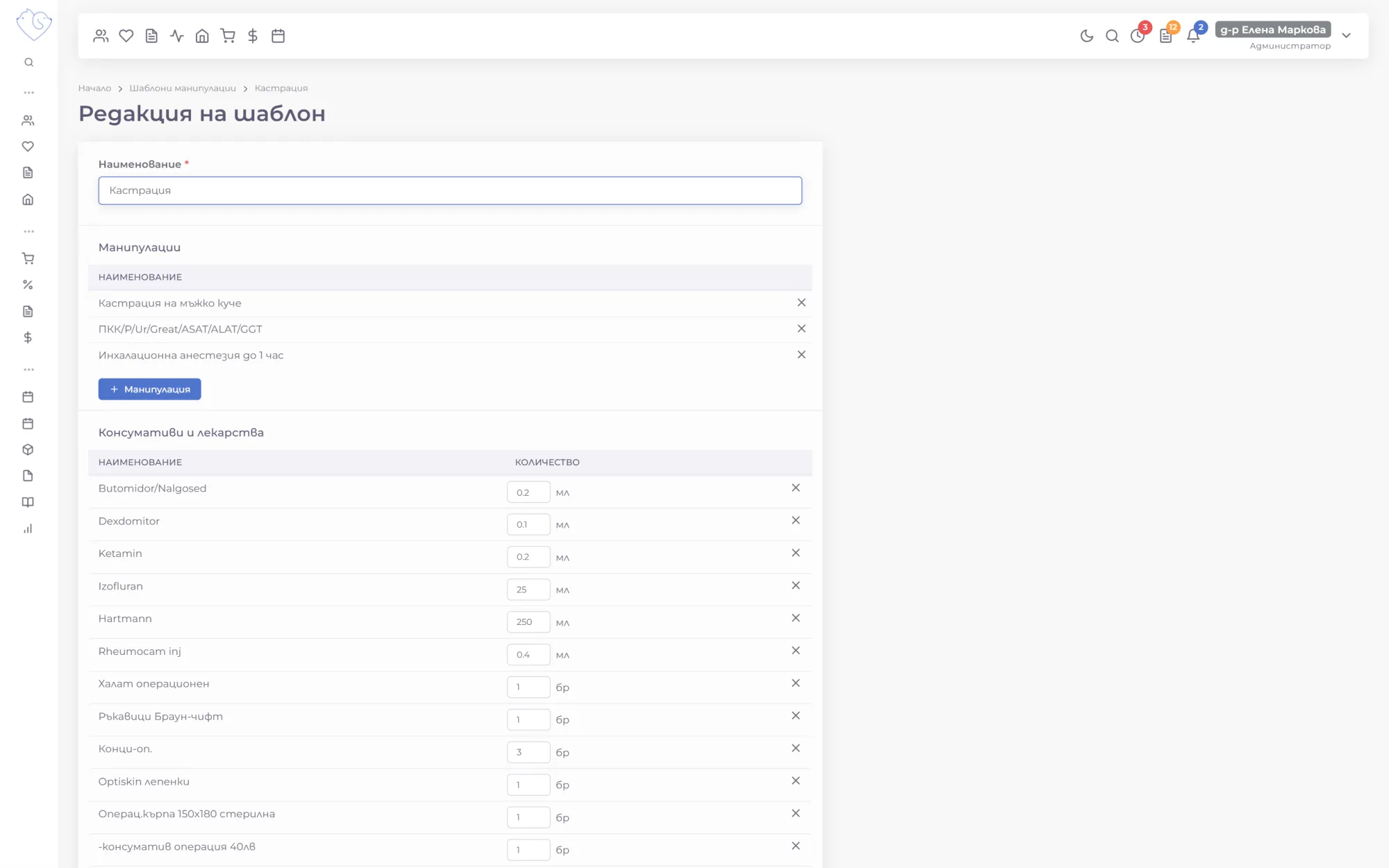
A template groups the procedures and consumables for one treatment, such as a neuter with anesthesia, medicines and consumables in their usual quantities. It's added to a consultation with one button, then adjusted for the individual patient.
Price calculator, estimates and special rates
When an owner calls to ask how much a procedure will cost, the calculator gives the price from your price list without creating a record. If you like, the total is rounded to the nearest whole euro.
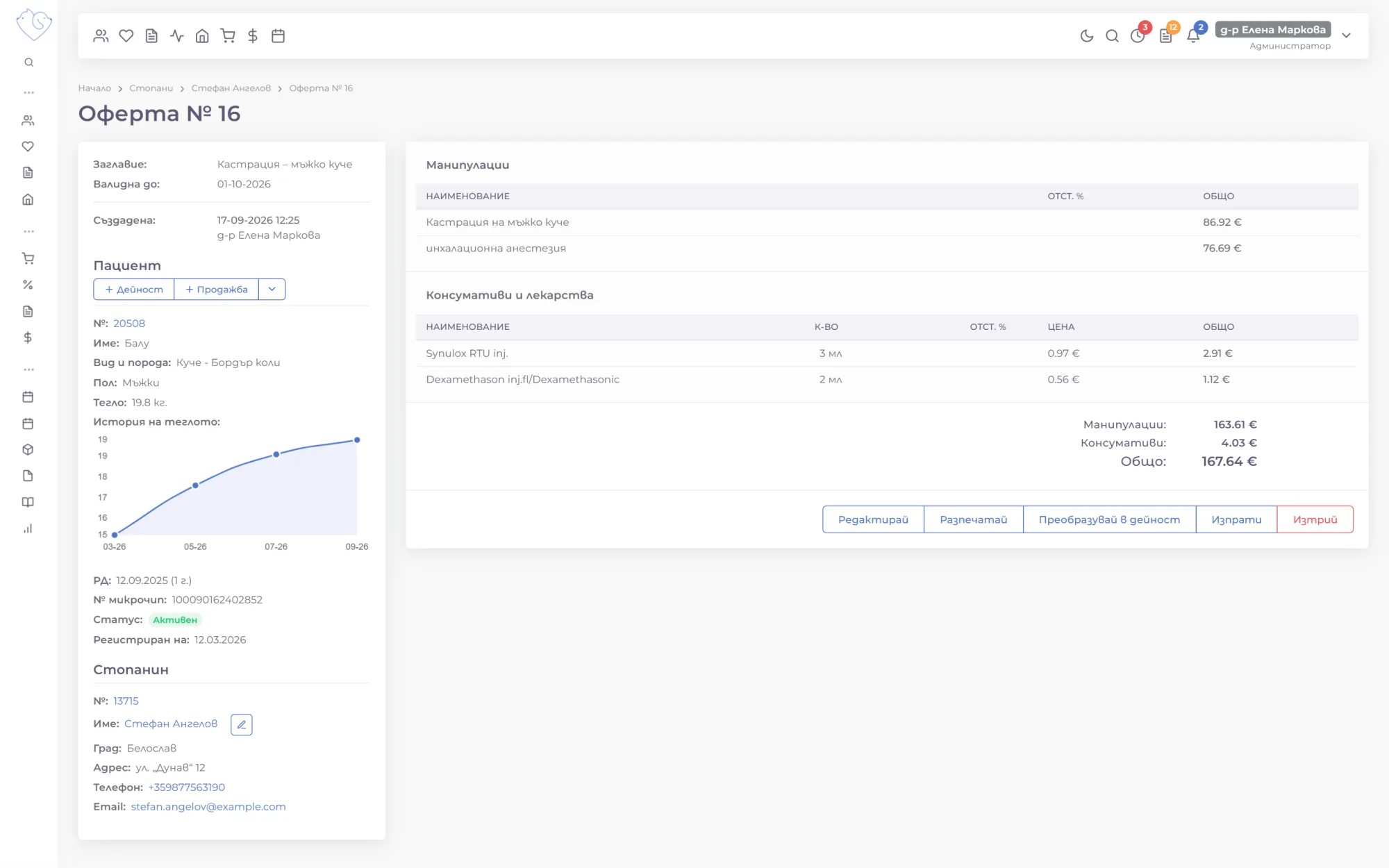
For planned procedures, you create an estimate with the procedures, medicines, total and an expiry date. It's printed or emailed to the owner as a PDF, and once they agree, the estimate becomes a visit with everything already filled in.
Evening and holiday rates
Special rates add a percentage markup for certain hours, such as every evening after 8 p.m., or for a specific date like Christmas Eve. The price changes automatically based on the date and time of the consultation. Client discounts are given at the cash desk, on procedures, items or the whole bill.
Stock moves with the work
Inventory isn't a separate program but part of everything else at the clinic:
- Consumables from outpatient records and from the inpatient daily charts are deducted when they're saved.
- Shop sales deduct the goods from inventory at the moment of sale.
- Expiring batches, items running low and pending orders are counted at the top of the Stock page.
- Reports show sales by item, from the consulting room, the ward and the shop.
The stock in the system matches what's on the shelf, and orders go out on time, not after something has already run out.
Inventory & Pricing on video
Short videos (in Bulgarian) from a demo clinic, from stock and deliveries to the price list and estimates.
Frequently asked questions
Do I have to update stock by hand after every consultation?
No. Consumables and medicines added to a consultation, an inpatient daily chart or a sale are deducted from inventory automatically, from the batch closest to its expiry date.
How do deliveries from a photo of the invoice work?
You take a photo of the invoice or upload it as a PDF. VetsWise reads the supplier, the invoice number and dates, the items, quantities and prices, and fills in the delivery. You can check and correct everything before saving.
Can my item catalog be moved over from my current software?
Yes. Items, groups and prices can be moved to VetsWise free of charge, so your inventory doesn't start from zero.
How do I know which products expire soon?
Every morning you get a notification about batches expiring within 30 and within 7 days, and the Expiry dates page lists every batch by date, with a filter for expired ones.
1-month free trial, no payment upfront
We move your data from your current software for free.
More VetsWise modules
-
 Outpatient Records
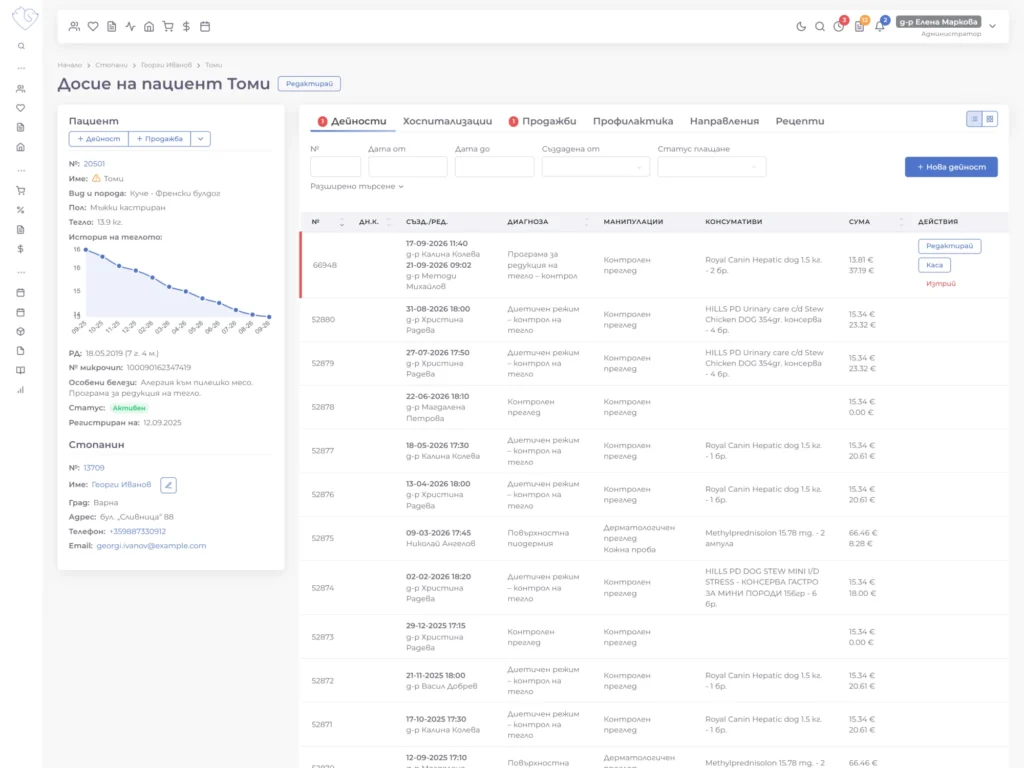
Every consultation, diagnosis and procedure is recorded in order in the patient's record, and the whole team can see the full history in one click.
Explore the module
Outpatient Records
Every consultation, diagnosis and procedure is recorded in order in the patient's record, and the whole team can see the full history in one click.
Explore the module
-
 Inpatient Care
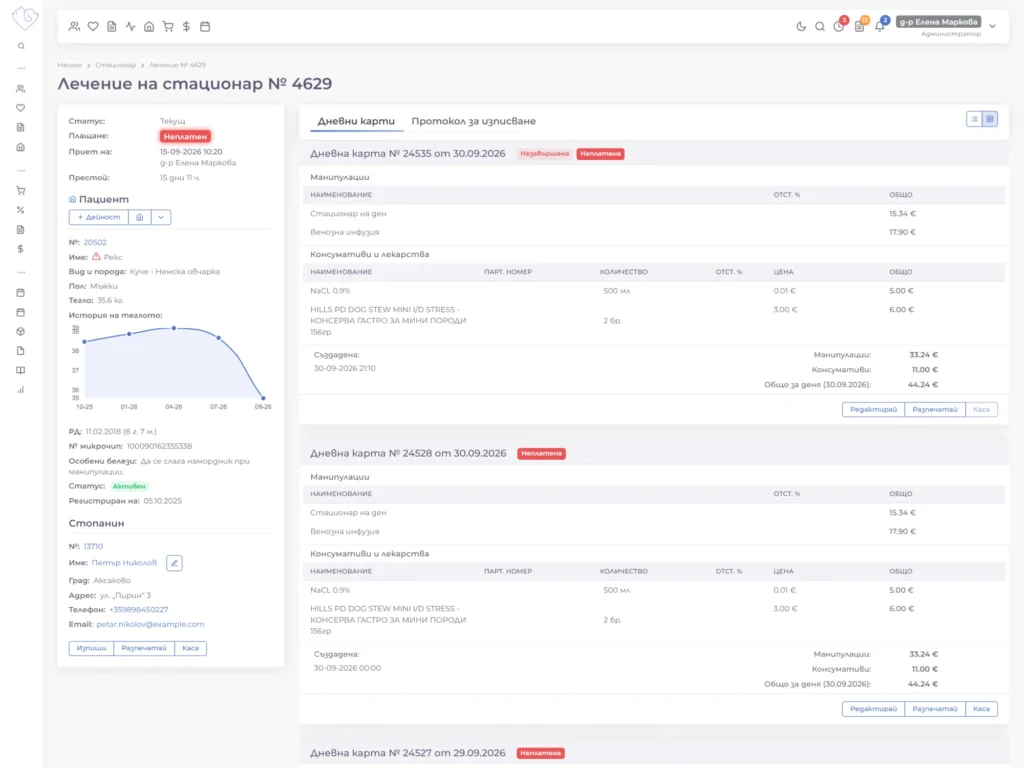
Patients in intensive care or long-term treatment, with daily charts, treatments and consumables in one place that the whole team can see.
Explore the module
Inpatient Care
Patients in intensive care or long-term treatment, with daily charts, treatments and consumables in one place that the whole team can see.
Explore the module
-
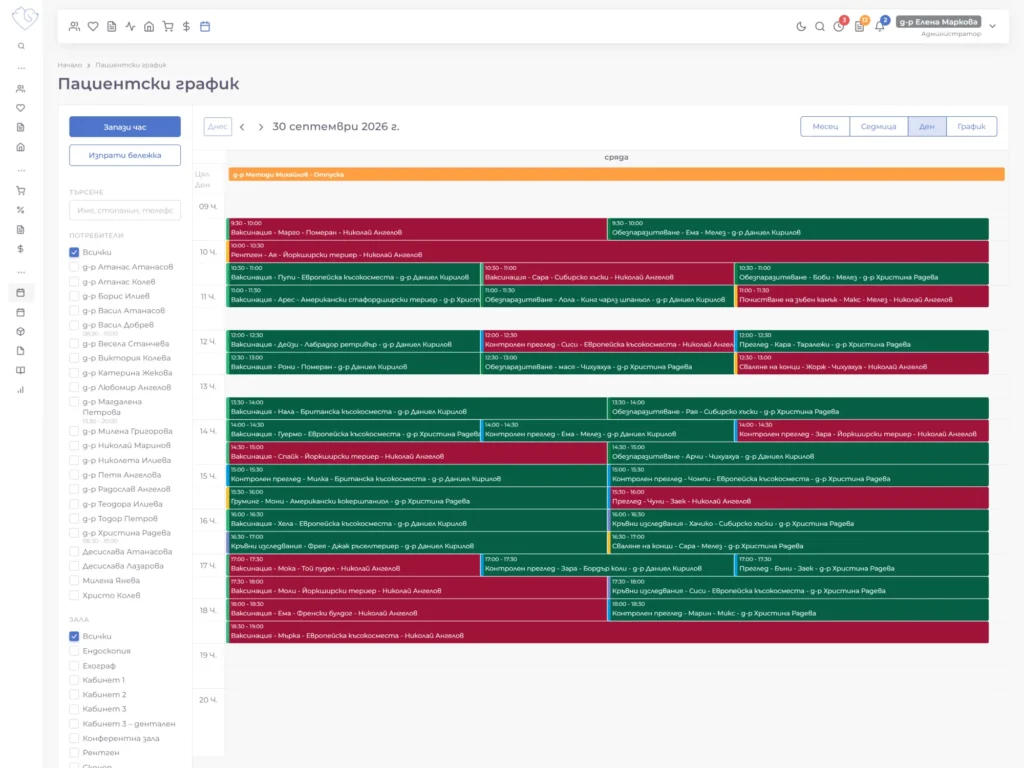 Appointments & Scheduling
Patient appointments, staff shifts and room bookings in one shared calendar, so it's clear who is doing what, and when.
Explore the module
Appointments & Scheduling
Patient appointments, staff shifts and room bookings in one shared calendar, so it's clear who is doing what, and when.
Explore the module
-
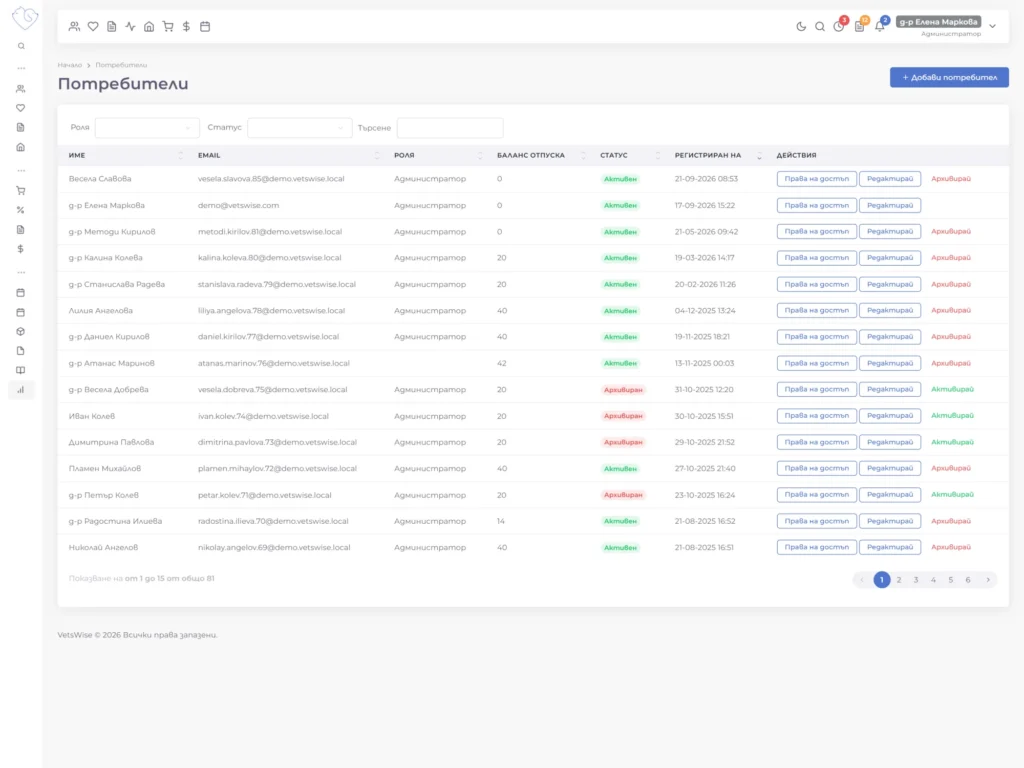 Administration & Finance
Team roles and permissions, a log of every change, client payments at the cash desk, advance payments and invoices, all in one place.
Explore the module
Administration & Finance
Team roles and permissions, a log of every change, client payments at the cash desk, advance payments and invoices, all in one place.
Explore the module
-
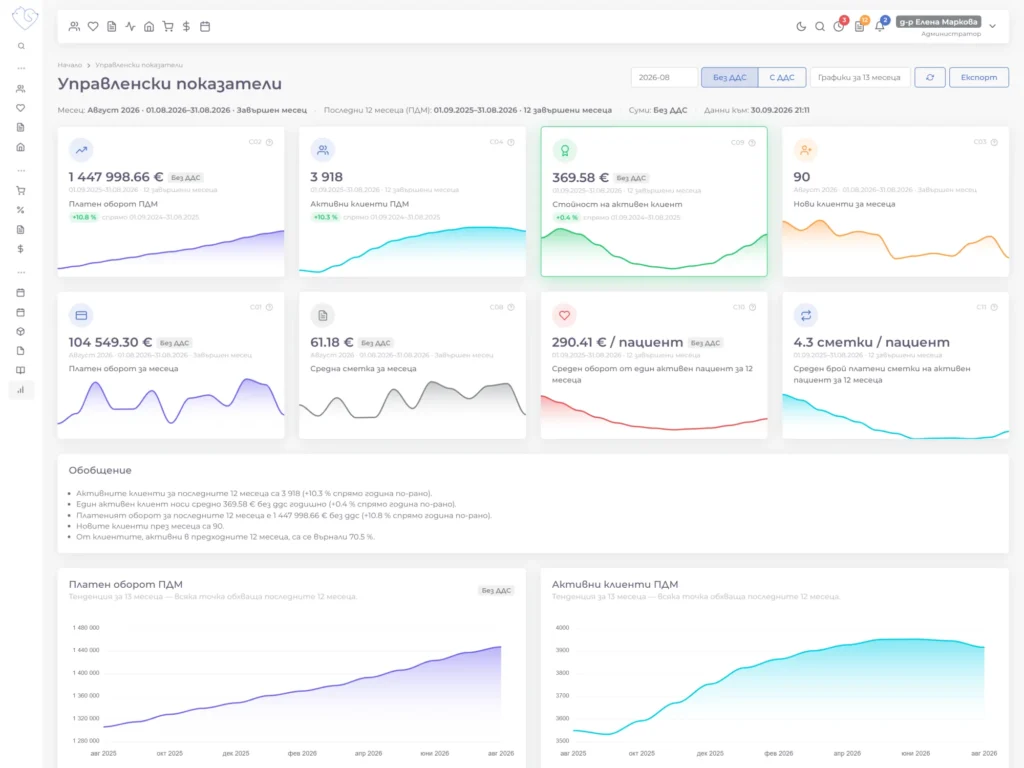 Reports & KPIs
A dashboard for the day, KPIs for the last 12 months, and reports on payments, procedures and items, so you can make decisions based on data.
Explore the module
Reports & KPIs
A dashboard for the day, KPIs for the last 12 months, and reports on payments, procedures and items, so you can make decisions based on data.
Explore the module